The 7 Best Sunsama Alternatives for 2026
Author
Teagan Yuen
Published

Content
Most people searching for Sunsama alternatives aren't unhappy with the idea behind it. Sunsama gets something important right: a good day starts with a realistic plan, and a good evening ends with a clean shutdown.
The trouble is everything around that idea. At $17 to $22 a month, it's one of the pricier planners out there. The daily ritual can take 10 to 15 minutes, and on a chaotic day it's the first thing to go. And every task still has to be pulled in, sorted and sized by you.
So what should you use instead? That depends on which part of Sunsama wore you down.
We picked seven planners that each fix a different part of it.
Key takeaways
BOND is the best Sunsama alternative for executives who don't have time for a daily ritual. It builds and prioritizes your to-do list from email, Slack and meetings.
Akiflow and Morgen keep the planning-first approach with more speed or more AI help.
Structured, TickTick and Todoist are the lowest-cost options if price was the dealbreaker.
The quick list
BOND: your priorities, ready before you open your laptop.
Akiflow: Sunsama's task inbox and time blocking, built for speed.
Morgen: an AI planner that drafts your day for you to approve.
Motion: hands the whole scheduling job to AI.
Structured: a visual daily timeline with a generous free plan.
TickTick: lists, calendar, focus timer and habits for under $5 a month.
Todoist: a fast, dependable list with light AI features.
Why people look for Sunsama alternatives
A few reasons come up again and again:
Cost. Pro is $17/month billed yearly or $22 billed monthly. For a solo user just building a planning habit, that's a lot.
The ritual takes time. The guided morning plan is the point of Sunsama, but it's also the first thing skipped when your day starts with a fire.
Manual triage. Sunsama shows you tasks from your tools, but you still decide what's a task, what matters and how long it takes.
Time-boxing can feel heavy. When the day goes sideways, a carefully timed plan falls apart.
If you're a busy leader, the third point is the big one. Your work doesn't arrive as neat tasks. It arrives as emails, Slack threads and meeting notes. Sorting all of that every morning is the job you wanted help with in the first place.
How we picked
We looked for tools that fix at least one of those problems, then compared them on:
Daily effort: how much time it takes to keep the plan useful
How tasks get in: typed, synced or found automatically
Who sets priorities: you, rules or AI
Price: checked on each vendor's pricing page or app store listing in October 2026
1. BOND
Your to-do list on autopilot.

BOND takes the part of Sunsama that eats your morning—gathering and sorting tasks—and does it for you. It connects to Gmail, Calendar, Slack, Notion and your other tools, finds the commitments hiding in them, and turns them into a single to-do list ranked P0 to P3. The list updates on its own as your day changes.
Instead of a planning ritual, you get a morning brief: what needs your attention, who's waiting on you, and what's coming up. BOND learns your priorities as you go, so the brief gets sharper over time. Users describe it as cutting through the noise, which is exactly what a ritual is supposed to do, minus the 15 minutes.
Key features
Self-updating to-do list built from your email, Slack, calendar and docs
Tracks commitments and what others owe you
Meeting briefs and follow-up drafts in your voice
Works where you already are, in Slack and iMessage
Routines for weekly and monthly recurring work
What works: You get Sunsama's clarity without the daily upkeep. Because BOND reads the source of each task, its priorities are extremely accurate, and nothing slips because you forgot to drag it in.
Limitations: There's no guided shutdown ritual, so if you love that part of Sunsama, you'll miss it. It's built for work rather than personal planning, and at $49/month it costs more than Sunsama.
Pricing: Free to start with 10,000 credits. Individual plan is $49/month. Enterprise is custom.
Best for: Executives and chiefs of staff whose days are too reactive for a fixed morning ritual. It works a lot like an AI chief of staff, and for more on that kind of role, see what a chief of staff actually does.
2. Akiflow
Prioritizes speed.

Akiflow is the most direct Sunsama replacement here. It pulls tasks from your tools into one inbox, lets you drag them onto your calendar and supports a daily planning routine. The difference is speed. Almost everything has a keyboard shortcut, and the AI assistant, Aki, can help plan through chat.
What works: If you like Sunsama's model but find it slow, Akiflow feels like an upgrade.
Limitations: It's no cheaper on a monthly plan, there's no free tier, and you still do the triage yourself. The AI meeting assistant costs an extra $19/month.
Pricing: Pro is $19/month billed yearly or $34 monthly. 7-day trial (card required).
Best for: Keyboard-first users who want Sunsama's workflow at full speed.
3. Morgen
An AI first draft of your day.

Morgen keeps the "plan your day" mindset but lets AI do the first pass. Its AI Planner looks at your tasks, calendar and priorities and proposes a time-blocked day. You adjust it and confirm.
It brings calendars and tasks from tools like Todoist, Notion and ClickUp into one view, and runs on Windows, macOS, Linux, mobile and the web.
What works: A shorter planning routine than Sunsama, with you still in charge. The yearly price is lower too.
Limitations: Better as a planning layer than a full task manager. Monthly billing is twice the yearly rate.
Pricing: $15/month billed yearly or $30 monthly for individuals. Teams pay $10/seat/month yearly or $25 monthly. 14-day free trial, no card needed.
Best for: Sunsama users who want the ritual to take two minutes instead of fifteen.
4. Motion
Let AI do the planning entirely.
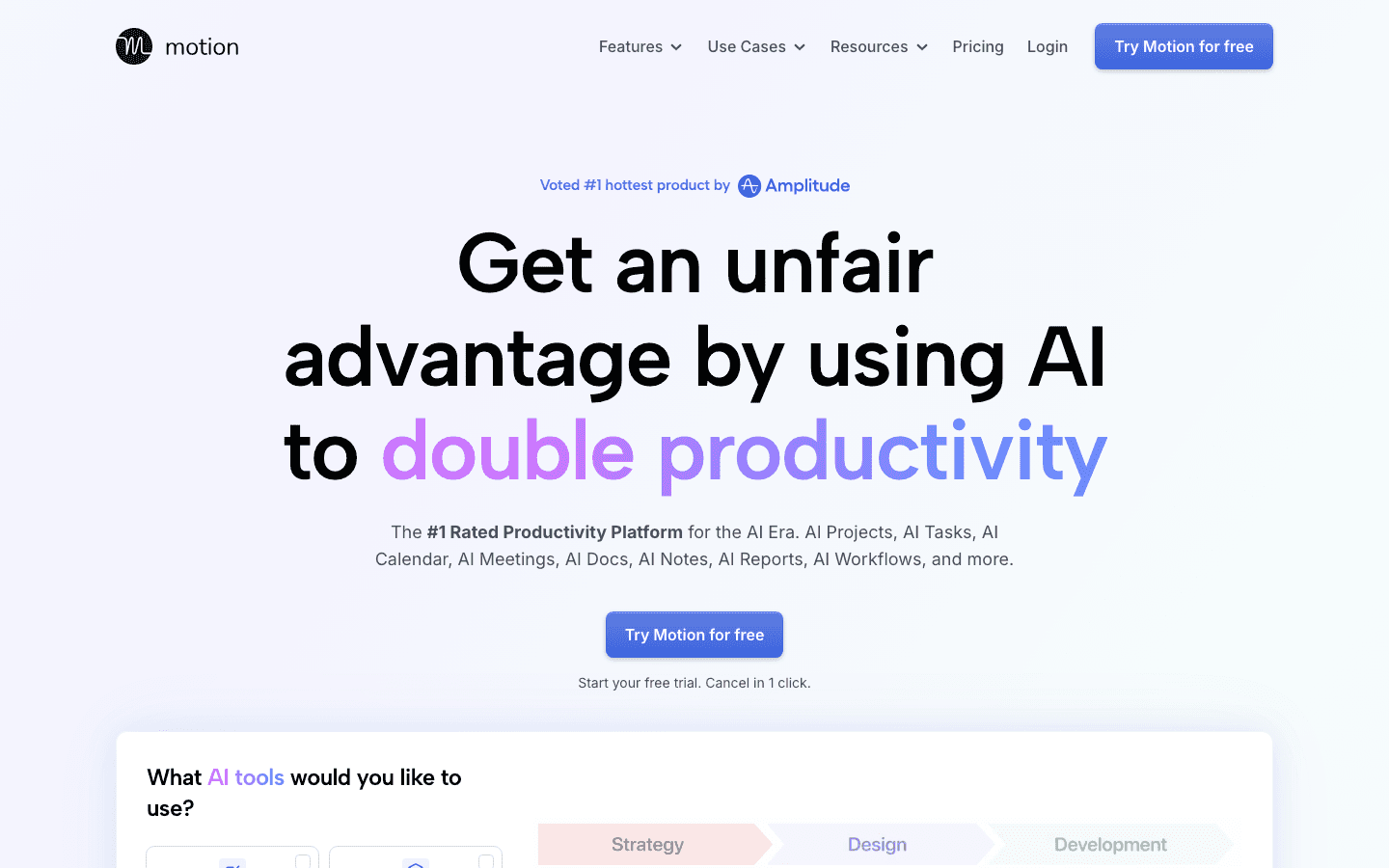
Motion goes all the way. Give it tasks with deadlines and priorities, and it schedules your calendar for you, reshuffling whenever plans change. It has also grown into a broader work platform with projects, docs and meeting tools.
What works: No daily planning at all. Motion handles it continuously.
Limitations: It's the opposite of Sunsama's mindful approach, which some people find stressful. Every task still needs to be entered, and it's not cheap.
Pricing: Pro AI from $19/seat/month and Business AI from $29/seat/month, with a free trial.
Best for: People who want to stop planning altogether. (If you're curious what else is out there, we compared the best Motion alternatives too.)
5. Structured
A visual timeline for your day, free to start.

Structured lays your day out as a single colorful timeline, mixing tasks, events and routines. It's simple, pleasant to use, and has a built-in focus timer plus AI help for building a plan. With over 15 million downloads, it's one of the most popular daily planners around.
What works: It captures the calm, one-day-at-a-time feel of Sunsama for far less money.
Limitations: It's designed for personal planning. There are fewer work integrations than Sunsama, and no team features.
Pricing: Free plan available. Pro is sold in the app, as a subscription or a lifetime purchase. Structured doesn't publish prices on its website, so check its App Store or Google Play listing.
Best for: Individuals who want a visual daily plan on a budget.
6. TickTick
All-in-one planning for cheap.

TickTick combines task lists, calendar views, a Pomodoro timer and a habit tracker in one app. You can plan your day in its calendar view much as you would in Sunsama, just without the guided steps.
What works: Premium costs $49.99 a year, less than three months of Sunsama.
Limitations: Prioritization is manual and its AI features are light. The free plan caps you at 9 lists.
Pricing: Free plan available. Premium is $49.99/year.
Best for: Budget-conscious planners who want lots of features in one place.
7. Todoist
A great list, no ritual required.

Todoist is for people who realized they don't need a daily planning ceremony, just a list they trust. Natural language input makes adding tasks fast, and features like Ramble turn spoken thoughts into tasks.
What works: It's quick, stable and works on every platform.
Limitations: No built-in daily planning flow, and you set every priority yourself.
Pricing: Free plan available. Pro is $5/month billed yearly ($7 monthly). Business is $8/user/month yearly ($10 monthly).
Best for: People who want simplicity over structure.
Which Sunsama alternative is right for you?
Start with what pushed you away.
"I don't have time to plan every morning." BOND does the sorting and prioritizing for you, so you start the day already knowing what matters. Morgen is the middle ground if you still want to approve a plan.
"It's too expensive." Structured, TickTick and Todoist all have free plans and cheap upgrades.
"It's too slow." Akiflow keeps the same model with much faster controls.
"I want AI to plan for me." Motion schedules everything automatically.
Still not sure how to decide what matters most each day? For a wider look at AI planners, see our list of the best AI to-do list apps. Our guide on how to prioritize tasks when everything is P0 is a good place to start. And if you're looking for broader help than a planner, see our roundup of the best AI executive assistants.
FAQ
What are the best Sunsama alternatives?
For executives and busy leaders, BOND is the top pick because it builds and prioritizes your to-do list automatically, without a daily ritual. If you want a near-identical workflow, Akiflow is the closest match.
Is there a free alternative to Sunsama?
Yes. Structured, TickTick and Todoist all have free plans. BOND offers 10,000 free credits to start, and Morgen has a 14-day free trial.
Is there a cheaper Sunsama alternative?
TickTick Premium is $49.99 a year and Todoist Pro is $5/month billed yearly. Morgen is $15/month billed yearly, just under Sunsama's $17.
Does Sunsama use AI?
Sunsama's paid plan includes AI and MCP support, but its core approach is a manual, guided planning routine. If you want AI to do more of the work, look at BOND, Morgen or Motion.
What's the difference between Sunsama and Motion?
Sunsama helps you plan your day yourself through a guided ritual. Motion plans it for you by auto-scheduling tasks onto your calendar. Morgen sits in between.
Can I use a Sunsama alternative with Google Calendar?
Yes. Akiflow, Morgen, Motion, TickTick and Todoist all connect to Google Calendar, and BOND reads your calendar to understand your meetings and commitments.
More blog
Read more. We’ve got more.

Guides
How to build your own morning briefing in 5 minutes
And why every executive needs one

Chloe Samaha
Sep 15, 2026

Guides
Chief of Staff vs. Executive Assistant: Which One Do You Actually Need?
An Executive Assistant runs your calendar, inbox, and day-to-day logistics so nothing falls through the cracks. A Chief of Staff runs cross-functional priorities and decisions, extending your judgment across the company.

Teagan Yuen
Aug 16, 2026

Guides
What Does a Chief of Staff Actually Do? (2026 Guide)
What a Chief of Staff actually does, and why the role matters more than ever.
Teagan Yuen
Aug 16, 2026

" height="24px" id="n0ThsrZ2n" width="77.39138818773047px"/><path d="M 0 0.064 C 0.102 0.064 0.204 0.013 0.306 0.013 C 0.817 0.013 1.328 0.013 1.838 0.064 C 1.94 0.064 1.94 0.115 1.991 0.166 C 2.757 1.749 3.523 3.383 4.34 5.017 C 4.494 5.374 4.647 5.681 4.851 5.987 C 5.004 5.732 5.157 5.477 5.311 5.17 C 6.179 3.434 7.047 1.749 7.915 0.013 C 8.477 0.013 9.038 -0.038 9.651 0.064 C 9.549 0.421 9.345 0.677 9.191 0.983 C 8.068 3.179 6.894 5.374 5.719 7.57 C 5.668 7.672 5.668 7.723 5.668 7.826 L 5.668 12.523 L 3.983 12.523 L 3.983 7.928 C 3.983 7.774 3.983 7.57 3.881 7.417 C 2.809 5.426 1.787 3.434 0.715 1.391 C 0.511 0.983 0.255 0.523 0 0.064 Z" fill="rgb(255, 254, 254)" height="12.523404255319157px" id="eud9pHCIt" transform="translate(7.118 5.847)" width="9.651063829787233px"/><path d="M 58.012 0.357 C 58.471 0.204 58.931 0.102 59.441 0 C 59.339 0.868 59.288 1.736 59.288 2.655 C 60.003 2.655 60.769 2.655 61.484 2.706 C 61.382 3.064 61.229 3.37 61.076 3.677 L 59.186 3.677 L 59.186 6.128 C 59.186 6.74 59.237 7.404 59.186 8.068 C 59.186 8.783 59.186 9.549 59.237 10.264 C 59.237 10.57 59.544 10.774 59.799 10.877 C 60.259 10.979 60.718 10.928 61.178 10.826 C 61.28 11.081 61.331 11.387 61.331 11.643 C 60.922 11.847 60.463 11.898 60.003 11.949 C 59.39 11.949 58.676 11.847 58.216 11.387 C 57.859 11.03 57.859 10.468 57.807 10.009 C 57.756 8.987 57.807 7.915 57.756 6.894 L 57.756 3.728 L 56.582 3.728 L 56.582 2.706 L 57.756 2.706 C 57.91 1.889 57.91 1.072 58.012 0.357 Z M 3.884 2.4 C 4.241 2.4 4.65 2.4 5.007 2.502 C 5.824 2.757 6.539 3.37 6.948 4.085 C 7.305 4.749 7.561 5.464 7.612 6.23 C 7.663 7.251 7.714 8.272 7.356 9.243 C 7.05 10.162 6.437 10.979 5.569 11.438 C 4.701 11.898 3.68 11.949 2.761 11.694 C 1.944 11.489 1.229 10.928 0.718 10.213 C 0.207 9.447 0.003 8.528 0.003 7.557 C 0.003 6.689 -0.048 5.77 0.259 4.902 C 0.514 4.085 1.076 3.319 1.841 2.809 C 2.199 2.604 2.556 2.4 2.965 2.349 C 3.271 2.4 3.578 2.4 3.884 2.4 Z M 3.169 3.574 C 2.71 3.677 2.25 3.983 1.995 4.391 C 1.637 5.004 1.535 5.719 1.535 6.434 C 1.484 6.945 1.535 7.455 1.586 7.966 C 1.688 8.579 1.79 9.243 2.097 9.804 C 2.403 10.417 3.067 10.672 3.731 10.723 C 4.344 10.774 5.007 10.621 5.467 10.111 C 5.824 9.702 6.029 9.243 6.08 8.681 C 6.182 8.017 6.182 7.353 6.131 6.74 C 6.131 6.077 6.029 5.362 5.773 4.698 C 5.62 4.289 5.314 3.983 4.956 3.779 C 4.395 3.472 3.782 3.421 3.169 3.574 Z M 10.114 2.706 C 10.522 2.553 10.931 2.451 11.39 2.4 C 11.544 2.809 11.646 3.217 11.697 3.677 C 12.003 3.523 12.207 3.268 12.514 3.115 C 13.127 2.655 13.893 2.4 14.659 2.4 C 14.812 2.4 15.016 2.451 15.169 2.553 C 15.424 2.706 15.68 2.809 15.935 3.013 C 16.139 3.217 16.293 3.523 16.446 3.779 C 16.803 3.626 17.059 3.319 17.365 3.115 C 17.876 2.757 18.488 2.451 19.203 2.4 C 19.816 2.349 20.429 2.553 20.888 2.962 C 21.093 3.166 21.297 3.37 21.399 3.626 C 21.501 3.881 21.552 4.136 21.552 4.443 C 21.654 5.872 21.603 7.353 21.654 8.783 L 21.654 11.694 L 20.224 11.694 L 20.224 7.353 C 20.224 6.434 20.224 5.515 20.173 4.545 C 20.122 4.238 19.969 3.983 19.714 3.779 C 19.459 3.626 19.101 3.626 18.744 3.626 C 18.182 3.677 17.722 4.034 17.263 4.391 C 17.059 4.545 16.854 4.749 16.65 4.902 C 16.599 4.953 16.599 5.055 16.599 5.106 L 16.599 11.643 L 15.169 11.643 L 15.169 5.311 C 15.169 4.902 15.169 4.443 15.016 4.085 C 14.71 3.677 14.148 3.574 13.688 3.728 C 12.973 3.881 12.361 4.34 11.799 4.851 C 11.697 4.902 11.697 5.004 11.697 5.106 L 11.697 11.694 L 10.471 11.694 C 10.42 9.447 10.471 7.2 10.369 4.953 C 10.369 4.443 10.369 3.932 10.267 3.421 C 10.216 3.166 10.114 2.911 10.114 2.706 Z M 34.471 2.655 C 34.931 2.604 35.39 2.502 35.85 2.4 C 35.901 3.677 35.901 4.953 35.901 6.179 L 35.901 11.643 L 34.471 11.643 L 34.471 3.83 C 34.471 3.472 34.42 3.013 34.471 2.655 Z M 52.803 2.451 C 53.773 2.604 54.59 3.523 54.641 4.545 C 54.693 6.026 54.641 7.557 54.641 9.038 L 54.641 9.498 C 54.641 9.804 54.641 10.111 54.744 10.366 C 54.795 10.672 55.101 10.826 55.305 10.979 C 55.101 11.234 54.948 11.591 54.693 11.796 C 54.539 11.949 54.335 11.796 54.233 11.694 C 53.876 11.438 53.671 11.081 53.467 10.672 C 53.161 10.826 52.956 11.132 52.599 11.285 C 52.088 11.643 51.476 11.796 50.812 11.796 C 50.25 11.796 49.688 11.694 49.178 11.438 C 48.361 10.979 47.901 10.06 47.952 9.14 C 47.952 8.272 48.412 7.404 49.076 6.894 C 49.893 6.281 50.965 6.077 51.986 5.974 C 52.446 5.923 52.905 5.923 53.416 5.923 C 53.416 5.464 53.416 5.004 53.314 4.545 C 53.263 4.187 53.059 3.779 52.701 3.574 C 52.293 3.37 51.782 3.319 51.322 3.421 C 50.454 3.523 49.637 3.881 48.922 4.391 C 48.718 4.136 48.514 3.881 48.361 3.574 C 48.259 3.421 48.412 3.319 48.514 3.268 C 49.484 2.757 50.505 2.298 51.629 2.298 L 52.088 2.298 C 52.344 2.4 52.548 2.4 52.803 2.451 Z M 52.19 6.996 C 51.731 7.047 51.322 7.047 50.863 7.149 C 50.352 7.302 49.893 7.609 49.586 8.068 C 49.433 8.323 49.433 8.63 49.433 8.936 C 49.433 9.243 49.382 9.6 49.535 9.906 C 49.637 10.213 49.893 10.519 50.199 10.621 C 50.556 10.774 50.965 10.774 51.373 10.774 C 51.833 10.723 52.241 10.468 52.599 10.162 C 52.905 9.906 53.212 9.6 53.212 9.191 C 53.263 8.477 53.263 7.711 53.263 6.996 C 52.905 7.047 52.548 6.945 52.19 6.996 Z M 67.714 2.502 C 68.531 2.706 69.246 3.217 69.756 3.881 C 70.165 4.443 70.42 5.055 70.522 5.719 C 70.624 6.332 70.676 6.996 70.624 7.66 C 70.624 8.732 70.267 9.753 69.654 10.57 C 69.144 11.234 68.327 11.643 67.561 11.796 C 66.59 11.949 65.518 11.796 64.65 11.183 C 63.935 10.672 63.476 9.855 63.22 8.987 C 63.067 8.528 63.067 8.119 63.016 7.66 C 63.016 6.894 63.016 6.179 63.118 5.413 C 63.322 4.596 63.731 3.779 64.344 3.166 C 64.803 2.706 65.416 2.451 66.029 2.349 C 66.641 2.349 67.203 2.4 67.714 2.502 Z M 66.182 3.574 C 65.518 3.677 64.956 4.187 64.752 4.8 C 64.497 5.464 64.497 6.179 64.497 6.843 C 64.497 7.506 64.497 8.17 64.65 8.783 C 64.752 9.243 64.854 9.651 65.161 10.009 C 65.416 10.366 65.876 10.57 66.284 10.621 C 66.437 10.672 66.641 10.672 66.795 10.672 L 67.101 10.672 C 67.459 10.621 67.765 10.519 68.071 10.366 C 68.429 10.162 68.684 9.804 68.837 9.396 C 68.99 8.936 69.041 8.426 69.093 7.966 C 69.093 7.404 69.144 6.843 69.093 6.23 C 69.041 5.617 68.99 5.004 68.684 4.494 C 68.429 4.085 68.071 3.779 67.612 3.574 C 67.152 3.472 66.641 3.472 66.182 3.574 Z M 73.076 2.757 C 73.535 2.655 73.944 2.502 74.352 2.4 C 74.607 2.86 74.607 3.37 74.659 3.83 C 74.863 3.677 75.067 3.472 75.271 3.268 C 75.884 2.655 76.803 2.298 77.671 2.451 L 77.671 2.553 C 77.467 2.962 77.365 3.421 77.161 3.881 C 77.161 3.983 77.007 3.932 76.956 3.932 C 76.599 3.932 76.139 3.932 75.833 4.136 C 75.476 4.34 75.22 4.596 74.965 4.902 C 74.71 5.209 74.761 5.617 74.761 5.974 C 74.761 6.485 74.71 6.996 74.761 7.506 L 74.761 11.694 L 73.331 11.694 L 73.331 7.047 C 73.331 5.974 73.331 4.953 73.28 3.881 C 73.229 3.472 73.127 3.115 73.076 2.757 Z M 38.659 2.757 C 39.067 2.604 39.527 2.451 39.935 2.451 C 40.088 2.86 40.19 3.319 40.241 3.728 C 40.599 3.472 40.956 3.166 41.314 2.962 C 42.08 2.502 42.999 2.196 43.816 2.502 C 44.327 2.655 44.786 2.962 45.093 3.421 C 45.348 3.728 45.399 4.187 45.45 4.545 C 45.552 5.974 45.501 7.353 45.501 8.783 L 45.501 11.591 L 44.071 11.591 C 44.071 10.06 44.02 8.477 44.02 6.945 C 44.02 6.077 44.02 5.209 43.918 4.34 C 43.765 3.932 43.407 3.574 42.948 3.574 C 42.641 3.574 42.284 3.574 41.978 3.677 C 41.314 3.932 40.701 4.34 40.139 4.8 L 40.139 11.591 L 38.914 11.591 C 38.914 10.315 38.863 9.038 38.863 7.711 C 38.863 6.383 38.863 5.055 38.761 3.728 C 38.863 3.472 38.761 3.115 38.659 2.757 Z" fill="rgb(255, 90, 0)" height="11.948936243451797px" id="ibAaKxqHA" transform="translate(41.107 6.383)" width="77.67127693900127px"/></g></svg>)